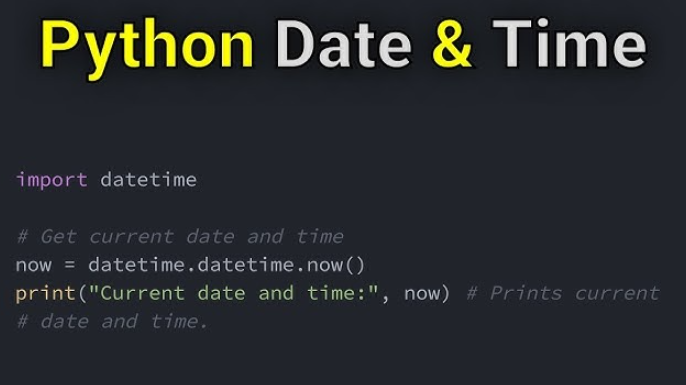
Working with Dates and Times in Python: The datetime Module
Python’s datetime module is a powerful and versatile tool for working with dates, times, and time intervals. Whether you're building a scheduler, processing timestamps, or managing time zones, datetime has the functionality you need.
In this article, we’ll dive deep into the datetime module, exploring its features and providing practical examples to make working with dates and times effortless.
Overview of the datetime Module
The datetime module provides classes for manipulating dates and times, including:
Let’s explore each of these classes in detail.
1. Working with Dates: The date Class
The date class represents calendar dates, including the year, month, and day.
Creating a Date Object
from datetime import date

# Create a date object
d = date(2025, 1, 20)
print(d)  # Output: 2025-01-20
Getting the Current Date
# Get today's date
today = date.today()
print(today)  # Output: Current date
Accessing Components of a Date
# Access year, month, and day
print(today.year)   # Output: Current year
print(today.month)  # Output: Current month
print(today.day)    # Output: Current day
Formatting Dates
# Format date as a string
formatted_date = today.strftime("%B %d, %Y")
print(formatted_date)  # Output: January 20, 2025
2. Working with Time: The time Class
The time class represents time independent of any date.
Creating a Time Object
from datetime import time

# Create a time object
t = time(14, 30, 45)
print(t)  # Output: 14:30:45
Accessing Components of Time
print(t.hour)   # Output: 14
print(t.minute) # Output: 30
print(t.second) # Output: 45
Formatting Time
# Format time as a string
formatted_time = t.strftime("%I:%M:%S %p")
print(formatted_time)  # Output: 02:30:45 PM
3. Combining Date and Time: The datetime Class
The datetime class combines the functionality of date and time into one object.
Creating a datetime Object
from datetime import datetime

# Create a datetime object
dt = datetime(2025, 1, 20, 14, 30, 45)
print(dt)  # Output: 2025-01-20 14:30:45
Getting the Current Date and Time
# Get current datetime
now = datetime.now()
print(now)  # Output: Current date and time
Accessing Components
print(now.year)   # Output: Current year
print(now.month)  # Output: Current month
print(now.day)    # Output: Current day
print(now.hour)   # Output: Current hour
print(now.minute) # Output: Current minute
print(now.second) # Output: Current second
Parsing Strings into datetime Objects
# Convert string to datetime
dt = datetime.strptime("2025-01-20 14:30:45", "%Y-%m-%d %H:%M:%S")
print(dt)  # Output: 2025-01-20 14:30:45
Formatting datetime as a String
# Format datetime
formatted_datetime = dt.strftime("%A, %B %d, %Y %I:%M %p")
print(formatted_datetime)  # Output: Monday, January 20, 2025 02:30 PM
4. Time Intervals: The timedelta Class
The timedelta class represents a duration or the difference between two dates or times.
Creating a timedelta Object
from datetime import timedelta

# Create a timedelta object
delta = timedelta(days=5, hours=3, minutes=30)
print(delta)  # Output: 5 days, 3:30:00
Adding and Subtracting Dates
# Add 5 days to the current date
future_date = today + timedelta(days=5)
print(future_date)  # Output: Current date + 5 days

# Subtract 5 days from the current date
past_date = today - timedelta(days=5)
print(past_date)  # Output: Current date - 5 days
Difference Between Two Dates
# Calculate the difference
date1 = date(2025, 1, 20)
date2 = date(2025, 1, 10)
difference = date1 - date2
print(difference)  # Output: 10 days
5. Time Zones: The tzinfo Class
The tzinfo class is used to work with time zones, but for ease of use, the third-party library pytz is often preferred.
Using pytz for Time Zones
from datetime import datetime
import pytz

# Define a timezone
timezone = pytz.timezone("US/Eastern")

# Get current time in the timezone
now = datetime.now(timezone)
print(now)  # Output: Current time in US/Eastern timezone
Common Use Cases
# Schedule an event 2 days from now
event_date = datetime.now() + timedelta(days=2)
print(event_date)
# Log current date and time
log_entry = f"[{datetime.now()}] Task completed."
print(log_entry)
# Check if a given date is in the future
given_date = datetime(2025, 1, 25)
if given_date > datetime.now():
    print("The date is in the future.")
Conclusion
The datetime module is an indispensable tool for working with dates and times in Python. From creating and formatting dates to calculating time intervals and handling time zones, its versatility makes it suitable for a wide range of applications.
Mastering the datetime module will not only make your Python code more robust but also allow you to tackle real-world problems with ease. Experiment with these functions and integrate them into your projects today!