Understanding Docker Volumes: A Comprehensive Guide with Examples | Part 3
Docker has emerged as a powerhouse, enabling devops/developers to encapsulate their applications and dependencies into isolated environments. Docker volumes play a crucial role in managing data within these containers, offering flexibility, persistence, and ease of use. In this blog post, we'll delve into Docker volumes, exploring what they are, why they're important, and how to use them effectively with practical examples.
What are Docker Volumes?
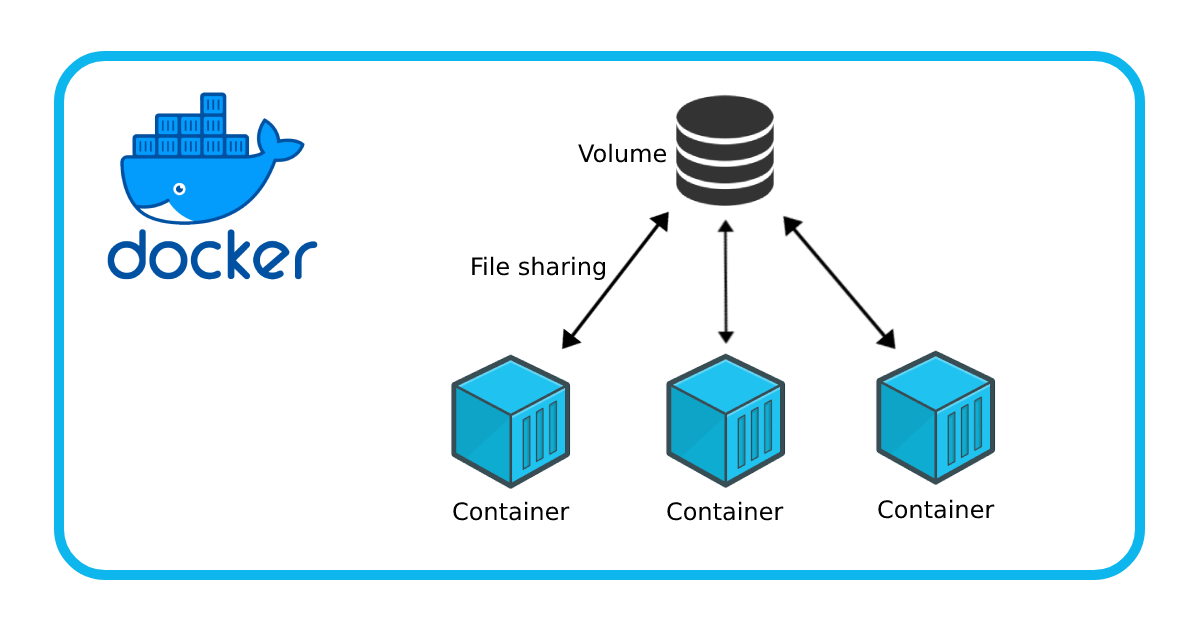
Docker volumes provide a way to persist data generated and used by Docker containers. Unlike the container's writable layer, which is ephemeral and gets destroyed when the container stops, volumes exist outside of the container's lifecycle. This means that data stored in volumes remains intact even when the container is removed.
Why Are Docker Volumes Important?
1. Data Persistence: Volumes ensure that critical data persists across container restarts and updates. This is vital for databases, file storage, and other applications where data integrity is paramount.
2. Sharing Data Between Containers: Volumes facilitate sharing data between multiple containers, enabling collaboration and communication within a Dockerized application.
3. Backup and Restore: With volumes, you can easily back up important data and restore it when needed, enhancing the resilience of your Dockerized applications.
Using Docker Volumes: Examples
Let's dive into some practical examples to illustrate the usage of Docker volumes.
Example 1: Persistent Data Storage for a Database
Suppose you're running a PostgreSQL database in a Docker container, and you want to ensure that the data persists even if the container is stopped or removed.
docker volume create pg_data
Recommended by LinkedIn
docker run -d --name postgres -e POSTGRES_PASSWORD=password -v pg_data:/var/lib/postgresql/data postgres:latest
In this example:
- We create a Docker volume named pg_data using the docker volume create command.
- We run a PostgreSQL container named postgres, specifying the -v flag to mount the pg_data volume to the container's /var/lib/postgresql/data directory. This ensures that the database data is stored in the volume.
Example 2: Sharing Data Between Containers
Let's say you have an application that consists of two Docker containers: one for the frontend and another for the backend. You need to share a configuration file between these containers.
docker run -d --name backend -v config:/app/config backend:latest
docker run -d --name frontend --link backend -v config:/app/config frontend:latest
In this example:
- We create a Docker volume named config.
- We run the backend container and mount the config volume to the /app/config directory.
- We run the frontend container, linking it to the backend container and mounting the same config volume. This allows both containers to access the shared configuration file.
Conclusion
Docker volumes are a powerful feature that enhances the flexibility, resilience, and scalability of Dockerized applications. By understanding how to effectively use volumes, you can ensure data persistence, facilitate communication between containers, and streamline your Docker workflows. With the examples provided in this post, you should now feel confident in incorporating Docker volumes into your containerized applications. Happy containerizing!


