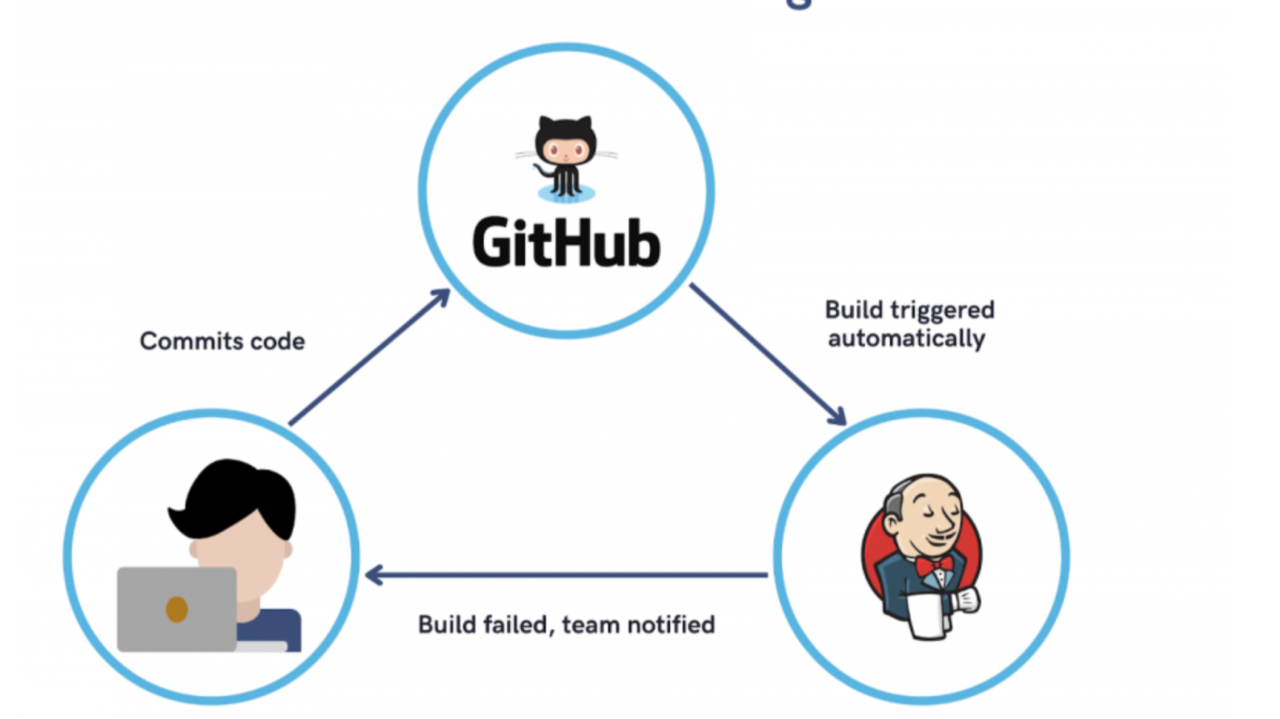
Creating a seamless CI/CD pipeline with Jenkins and GitHub enables efficient, automated deployments from code commit to production, enhancing the speed and reliability of deployments. Here’s how I set up a system to automatically deploy code from GitHub to an NFS server on AWS.
- Jenkins Setup on AWS: Deployed Jenkins on AWS, configured with Java and the necessary security groups for controlled access. Jenkins was set up to listen on the default port (8080).
- Webhook Integration with GitHub: Configured GitHub webhooks to trigger Jenkins builds on every code push, enabling continuous integration. The webhook URL initiates automatic builds without manual intervention.
- Artifact Storage and SSH Transfer to NFS: Jenkins archives build artifacts and, using SSH, transfers them securely to an NFS server. This NFS server acts as a shared storage location for easy access and deployment to production servers.
- Freestyle Job Setup: Configured a new job in Jenkins, linking to the GitHub repository and setting it to trigger automatically on changes.
- Automation Plugins:
- NFS Deployment: Designated target directories on NFS are automatically updated, so web servers always access the latest deployment, streamlining code management across environments.
- Rapid, Error-Free Deployment: Automation reduces manual effort, enabling quicker deployment with fewer errors.
- Easy Rollbacks: Jenkins stores a build history, making it easy to revert if needed.
- Enhanced Security & Scalability: Using controlled access and GitHub webhooks keeps the system secure and scalable.
This CI/CD pipeline provides an efficient, reliable, and highly secure way to manage code from development to deployment. Special thanks to StegHub for valuable guidance and tools!
Check out my GitHub profile for more detailed insights and other exciting projects-
#CloudComputing #Infrastructure #DevTools #OpenSource #AWS #DevOps #Automation #AWS #CI/CD