Passkeys: The Future of Passwordless Authentication?
Passwords have been the primary way to authenticate users for decades, but their shortcomings are well-documented. They are often weak and easy to guess, and they can be reused across multiple accounts, making them vulnerable to phishing attacks. As a result, there has been a growing movement towards passwordless authentication, and passkeys are a promising new technology that has the potential to revolutionize the way we sign in to websites and apps.
What are passkeys?
Passkeys are a type of cryptographic key pair that is used to authenticate a user. The private key is stored securely on the user's device, while the public key is shared with the website or app that the user is trying to sign in to. When the user tries to sign in, the website or app will generate a challenge, and the user's device will use the private key to generate a response. If the response is correct, the user is authenticated.
Passkeys have several advantages over passwords:
How do passkeys work?
To create a passkey, a user will first need to create a strong password. The user's device will then generate a public/private key pair and associate it with the password. The public key will be shared with the website or app, and the private key will be stored securely on the user's device.
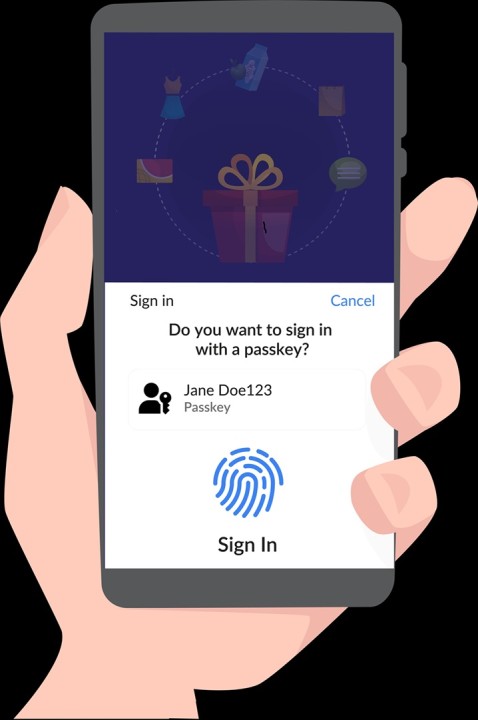
When the user tries to sign in to the website or app, they will be prompted to use their passkey. The user will then authenticate using their fingerprint or facial recognition, and the device will use the private key to generate a response to the website or app's challenge. If the response is correct, the user is authenticated.
Recommended by LinkedIn
How to use passkeys
To use a passkey, a user will need to have a device that supports passkeys, such as a recent iPhone or Android phone. The user will also need to have a strong password set up on their device.
To create a passkey, the user will need to visit the website or app that they want to use passkeys with. The website or app will then prompt the user to create a passkey. The user will need to enter their password and authenticate using their fingerprint or facial recognition.
Once a passkey has been created, the user can use it to sign in to the website or app with a single tap. The user will not need to enter their password or authenticate using their fingerprint or facial recognition again.
Passkeys are the future of passwordless authentication
Passkeys are a promising new technology that has the potential to revolutionize the way we sign in to websites and apps. They are stronger, more secure, and easier to use than passwords. As more devices and websites and apps support passkeys, we can expect to see them become the standard way to authenticate users.
In addition to the benefits listed above, passkeys also offer the following:
I hope this blog post has helped you to understand passkeys.
Should check PureID