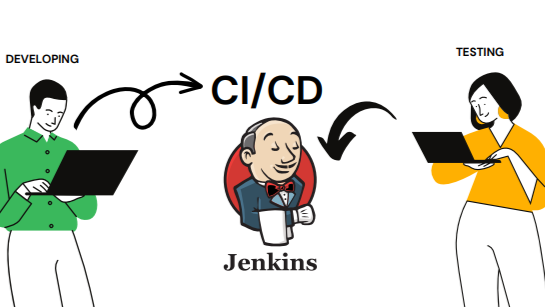
From Code to Deployment: Automating Cloud Workflows with CI/CD and Jenkins | An Introduction to CI/CD and Jenkins
In our previous article, From Cloud Infrastructure to Code Management: Git, GitHub Tools - Version Control Essentials for Streamlined Development, Collaboration, we explored Git and GitHub as essential tools for version control, enabling streamlined collaboration and efficient code management. Now, let's dive into the next phase of our journey: CI/CD and Jenkins. As we delve into these critical concepts, we’ll see how they form the backbone of modern, automated workflows, allowing teams to build, test, and deploy with efficiency and reliability.
What is Continuous Integration (CI)?
Continuous Integration (CI) is a development practice where developers frequently integrate code changes into a shared repository. Each integration is verified by an automated build and testing process, which allows teams to detect and resolve issues early in the development cycle.
Before CI
After CI
What is Continuous Deployment (CD)?
Continuous Deployment (CD) automates the deployment of code into production once it has passed testing. Unlike Continuous Delivery (where deployment is manual), Continuous Deployment enables a fully automated release process.
Benefits of CD:
CI/CD Pipeline: Streamlining the Process
A CI/CD Pipeline is a series of automated stages that streamline the journey from code creation to deployment. Here are the main stages:
This pipeline structure reduces manual work, minimizes errors, and accelerates the release process, making it a cornerstone of DevOps and agile workflows.
What is Jenkins?
Jenkins is an open-source automation server that orchestrates CI/CD pipelines, enabling teams to automate each step from code integration to deployment. Originally developed as "Hudson" by Sun Microsystems in 2004, Jenkins has become one of the most popular CI/CD tools due to its flexibility and extensive plugin ecosystem.
A Brief History:
Jenkins enables teams to automate and monitor each CI/CD stage, simplifying the release process and improving software quality.
Setting Up Jenkins: Installation Steps
Installing Jenkins is straightforward, with cross-platform support. Here’s a quick guide to getting Jenkins up and running on Linux.
Recommended by LinkedIn
System Requirements:
Installation Steps:
#STEP-1: INSTALLING GIT JAVA-1.8.0 MAVEN
yum install git java-1.8.0-openjdk maven -y

#STEP-2: GETTING THE REPO (jenkins.io --> download -- > redhat)
sudo wget -O /etc/yum.repos.d/jenkins.repo https://pkg.jenkins.io/redhat-stable/jenkins.repo
sudo rpm --import https://pkg.jenkins.io/redhat-stable/jenkins.io-2023.key

#STEP-3: DOWNLOAD JAVA17 AND JENKINS
yum install java-17-amazon-corretto -y
yum install jenkins -y

#STEP-4: RESTARTING JENKINS (when we download service it will on stopped state)
systemctl start jenkins
systemctl status jenkins
Access Jenkins:
Jenkins Essentials: Jobs, Pipelines, and Plugins
By using these components, Jenkins can automate every step, simplifying and enhancing your team’s development and release workflow.
What is Maven?
Maven is a build automation tool, primarily for Java projects. It simplifies dependency management, builds, and testing, making it a valuable partner in the Jenkins ecosystem.
Maven Build Lifecycle
The Maven Build Lifecycle is a sequence of phases that guide the build process. Here’s an overview of the main phases:
mvn clean       # Cleans the project
mvn compile     # Compiles the source code
mvn test        # Runs tests
mvn package     # Packages code into JAR/WAR
mvn install     # Installs the package in the local repository
mvn deploy      # Deploys to the remote repository

mvn clean package #To do all above steps in single command, with this single command code compilation, unit testing, packaging, and cleaning will be done at a time.
Maven’s structured lifecycle simplifies the build process, making it faster and easier for Jenkins to handle complex projects.
Wrapping Up: Why CI/CD and Jenkins Matter
In today's fast-paced development environment, CI/CD is crucial for reliable, continuous software delivery. Jenkins is a powerful tool for orchestrating these processes, enabling teams to focus on innovation while maintaining quality and speed.
Key Takeaways:
What’s Next?
As we continue our journey, the next article will be a hands-on guide to Jenkins, exploring each stage of the CI/CD pipeline in detail. We’ll dive into creating a Jenkins job, automating the deployment of code, and uncovering the power of Jenkins for real-world applications. Stay tuned as we unlock the next level of automation!
Cloud sync is in progress....See you soon :)


Useful tips
Very informative