Decoding a binary file format with reverse engineering
In the previous blog I told how I made a program to help me decode a 3D model stored in a binary file. Now I will tell you what the process is like to achieve decoding and the chain of thoughts behind it.
DISCLAIMER: This article turned up to be a bit long, but it has lots of images!
Getting and choosing the files
Let see where do the game saves the files, in this case is in a folder called Vehicles/Parts:
From the game I gather that the boos bottles are small low poly models, I found this as a good thing to look up in a file and I'll tell you why later.
I was lucky enough to choose PURE, a game that saved files with meaningful names. I say lucky because I choose it because of how much fun I had playing and nothing more:
I choose LOD1 because they are the highest quality assets and are most likely to have complete internal format information. We will see that this criteria saved me a lot of work.
Before working with these files, let's look at how most binary files are encoded.
Common binary files encoding
Binary files such as PNG and Unix "Executable and Linkable File (ELF)" start with an identifier of the file format, which helps choose the parser for them.
Another encoding strategy that binary files use is to use the first part of the file as a header with information about the file, this includes saving pointers to the parts of the file for quick access.
Here is ELF using this technique. According to Wikipedia ELF has the e_entry at offset 0x18
If I follow that address we will find the input function in the file.
With these techniques in mind, let's try to decode the ".model" file.
The model file
It wouldn't be surprising if these ".model" files had some kind of identifier at the beginning. Let's compare the two BOOST_BOOTLES files:
As we see, both files start with a 4-byte integer with the value 5. This is a good sign, follow basic binary file encoding practices.
Next to it it has a seemingly random value. Looking at the range of this file we see that it is within this range, this is a good
When I go to this address in each file, we even see the same text shortly after the address:
The text I found says "opaque shadow", this gives me the clue that it is a material or shading setting. I chose to ignore reading materials or textures for now as I'm only purely interested in the 3D mesh.
With this I have enough information to set some notes in the file and I will choose to stay on the "BOOST_BOTTLE_01_LOD1.model" from now on.
Recommended by LinkedIn
Finding the pattern
Now here it gets a little complicated. For you to understand this part better you need to read this little article first, just the background is enough.
First I assume that since the material has a pointer, before the material it has the vertices and indices of the mesh. My first thought is to find the indices by looking for index patterns like "012", "021", "210" as those would be the indices of the first triangle. In a binary file you need to know if the indexes are stored in 2 bytes or 4 bytes (in modern games don't use 1 byte indexes and in 2009 forget about 8 bytes). For search I use vscode with HexEditor because I haven't added search in my viewer yet.
Here I found it using only 2 bytes per index, and it was found 3 times, I will take the first match as the indices of the mesh. With that information I complete the index in the pattern entry panel:
In the image above I set the offset to be as marked in the search image, the index type to 16-bit unsigned integer (2 bytes), and the count to 3, a very conservative amount of just a triangle, but If I set a larger quantity, I risk drawing vertices that are not in memory and crashing the application.
Now to the vertex positions. For them, I will assume that they are next to the material pointer at offset 0x8 and the quantity will also be 3.
Now the Vertex component type is set to a 32-bit (4 byte) decimal, but so far I don't know if that's true, so I have to look at the 0x8 offset and see which type gives a more consistent number. I'll drop integer types since they haven't been used for vertices since the ps1 era:
As shown in the images above, F32 is not such a good guess as it gives a very small value, F16 is closer to 1.0, so I will choose the F16 type.
A vertex padding of 6 gives me the vertices position next to each other highlighted in blue but this value gives me nothing on screen:
By trying a bunch of values I got to the 28 bytes padding giving me a triangle!!
Remember how I said it would be helpful to pick a small asset? Since BoostBottle has few triangles, the triangles are larger, so when I try to draw the first triangle we can see it better. This is also useful for working with a small file and seeing the pattern easily since we don't have to move thousands of "lines" to find the next section.
Now, to find the number of vertices, my best guess would be to find the end of the indices and look for the largest value, which will give me the last vertex index. How do I find the end of the indices? Well, this one was out of luck, it turns out that the second index pattern match 012 is next to the end of the indexes.
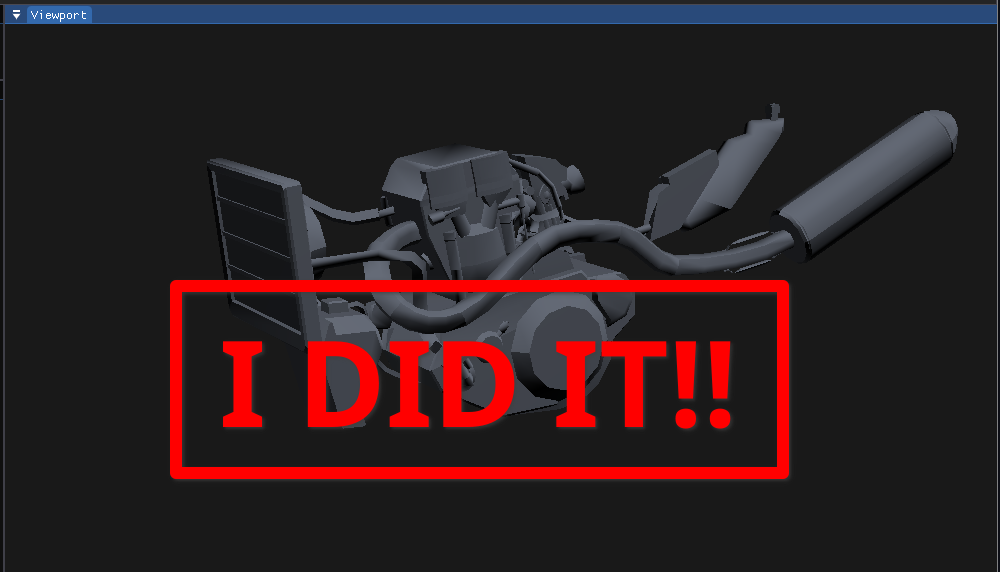
The last index appears to be 302 so it has 303 vertices. Trying this pattern I get the complete model!!
By deriving the algorithm from the chain of thoughts behind the reverse engineering process, I was able to load many models:
Algorithm:
- find the index pattern 012
- find the second index pattern 012 to get the amount of indices (output: index_array)
- find the highest index in the index array (output: vertex_count)
- load the vertex array from offset 0x8 up until the vertex_count
But not all models follow this algorithm, for example: LOD2 has another vertex padding (24 bytes) and the indices are right behind the material pointer. Some LOD1s also wouldn't work by simply showing a bunch of smashed triangles.
Conclusion
To reverse engineer a 3D model it is pertinent to have some knowledge of how they are stored in the GPU and also about the game to choose the correct file to work with and save a lot of time. Finding the vertices and indices to draw them requires a lot of time and educated guessing, but the parser can be derived from the reverse engineering process you used to get the model on the screen.
Another very very important thing. The time invested in the tool was worth it!!