CSS Debugging and Best Practices & Tools
CSS is an integral part of modern web development. It is responsible for creating beautiful and responsive designs that enhance the user experience. However, writing clean and maintainable CSS code can be challenging, especially when you're dealing with complex web layouts. In this article, we will discuss some of the best practices for writing CSS code and tools that can help you debug issues.
Best Practices
Organize Your Code
It's essential to keep your CSS code organized to make it easier to maintain and update. Use comments to label sections of your code and keep related styles together. Use whitespace to make your code more readable and easier to navigate.
Use a CSS Reset
Browsers have default stylesheets that can interfere with your styles. To prevent this, it's a good practice to use a CSS reset at the beginning of your stylesheet. This resets all the default styles and ensures a consistent appearance across different browsers.
/* Reset all styles to their default values */
* {
  margin: 0;
  padding: 0;
  border: 0;
  outline: 0;
  font-size: 100%;
  font-family: inherit;
  vertical-align: baseline;
  box-sizing: border-box;
}

/* Set the font size to a reasonable value */

html {
  font-size: 16px;
}

/* Remove list styles */

ul, ol {
  list-style: none;
}

/* Remove default link styles */

a {
  color: inherit;
  text-decoration: none;
}

/* Set the background color to white */

body {
  background-color: #fff;
}
Above is minimal example you can customize as needed.
Keep Selectors Specific
When writing CSS, it's essential to keep your selectors as specific as possible. This helps prevent your styles from being overridden by other styles on the page. Avoid using generic selectors such as body or div unless you have a specific reason to do so.
Avoid using too many global styles
Another common issue with CSS is using too many global styles. When every element on a page has the same font, color, and padding, it can lead to a lack of visual hierarchy and make it difficult to differentiate between different sections of the page. Instead, use specific styles for individual elements or groups of elements to make them stand out.
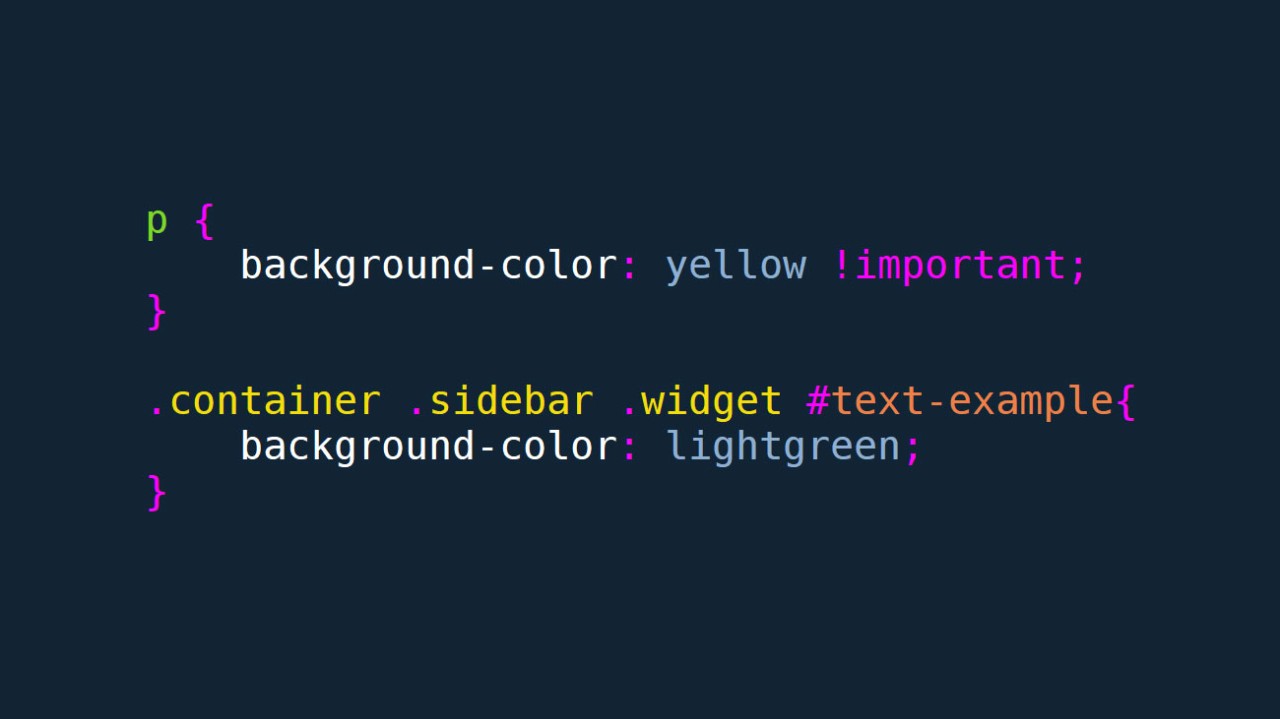
Avoid Using !important
The !important rule should be used sparingly in CSS code. It can make it challenging to override styles and should only be used as a last resort.
Use a CSS Preprocessor
A CSS preprocessor is a tool that allows you to write CSS code in a more efficient and maintainable way. It offers advanced features such as variables, mixins, and functions that help you write modular and reusable code. Some popular CSS preprocessors include Sass, Less, PostCSS and Stylus.
Recommended by LinkedIn
Don't repeat yourself
When writing CSS, it can be easy to fall into the trap of repeating the same styles over and over again. This not only leads to bloated CSS files, but can also make it difficult to make changes down the line. Instead, use classes and inheritance to reuse styles throughout your code.
Optimize for performance
it's important to optimize your CSS for performance. This can include things like minifying your code, using efficient selectors, and reducing the number of HTTP requests required to load your CSS files. By optimizing your CSS, you can help ensure that your pages load quickly and efficiently.
Debugging Tools
Developer Tools
Modern browsers come with built-in developer tools that allow you to inspect and debug your CSS code. You can use these tools to view the box model, check for errors, and modify styles in real-time. Some popular developer tools include Google Chrome DevTools, Firefox Developer Tools.
CSS Validator
A CSS validator checks your CSS code for errors and syntax issues. It's a great tool to ensure that your code is valid and compliant with web standards. Some popular CSS validators include W3C CSS Validation Service and CSSLint.
CSS Specificity Graph Generator
CSS specificity determines which styles are applied to an element when multiple selectors match it. The specificity graph generator visualizes the specificity of your CSS code, making it easier to understand and debug issues.
Color Picker
A color picker tool allows you to select and modify colors in your CSS code. It's a great tool for choosing colors that are accessible and contrast well with other colors on your page. Some popular color picker tools include ColorZilla and Adobe Color.
Conclusion
CSS is an essential part of web development, and writing clean and maintainable code is crucial for creating responsive and beautiful designs. By following best practices such as using a CSS preprocessor, keeping selectors specific, and organizing your code, you can write efficient and maintainable CSS code. Additionally, debugging tools such as developer tools, CSS validators, and color pickers can help you identify and fix issues in your CSS code. By using these best practices and tools, you can create high-quality and performant websites that enhance the user experience.


