A Comprehensive Guide to Setting Up and Deploying a Java Web App with AWS DevOps
Introduction
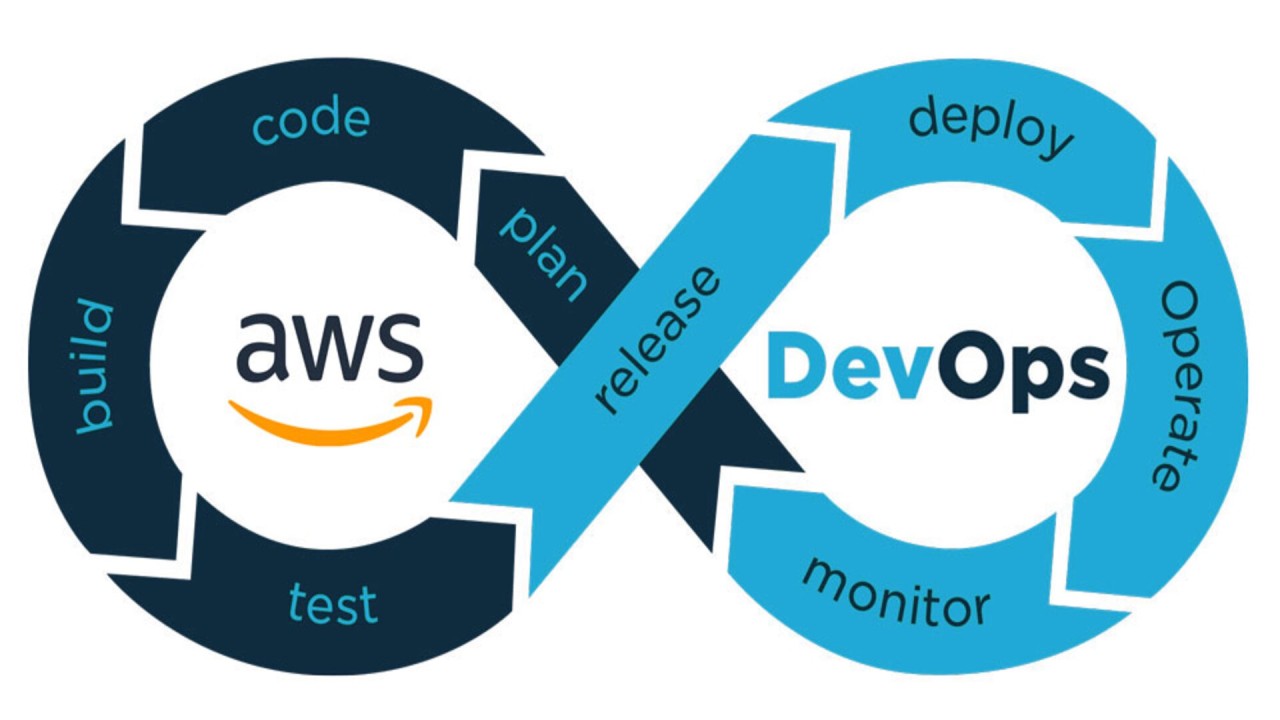
This guide walks through how I set up and deployed a Java web application using AWS DevOps services. I launched an EC2 instance, integrated GitHub for version control, managed dependencies with AWS CodeArtifact, automated builds with AWS CodeBuild, and deployed the application with AWS CodeDeploy.
I. Setting Up a Web App in the Cloud
Using VSCode with AWS EC2
- Connected VSCode to my remote EC2 instance via SSH.
- Used VSCode to edit the index.jsp file in my Java web application.
- One unexpected challenge was having to connect VSCode separately, even after remote terminal access was established.
Launching an EC2 Instance
- Created an EC2 instance to host my web application.
- Configured SSH access using key pairs to ensure security.
- Key pairs acted as authentication mechanisms to securely access my instance.
Setting Up VSCode
- Installed VSCode and connected it to my EC2 instance.
- Used VSCode as my IDE to develop and manage the Java web application.
Executing Terminal Commands
- Used terminal commands such as cd ~/Desktop/AWS/DevOps to navigate directories.
- Updated private key permissions using chmod 400 nextwork-keypair.pem.
SSH Connection to EC2
- Connected to my EC2 instance
- Used IPv4 DNS to access my EC2 instance.
Installing Maven & Java
- Installed Apache Maven, a tool for managing Java project dependencies.
- Used Maven to generate a basic Java web application:
- Configured Maven to manage external dependencies.
Using Remote - SSH and Nano
- Installed the VSCode Remote - SSH extension to work directly on EC2.
- Used nano and vi editors to manually modify index.jsp.
II. Connecting a GitHub Repository with AWS
Setting Up GitHub and Git
- Initialized a local Git repository on my EC2 instance.
- Connected the local repository to GitHub.
- Pushed my code to GitHub with git add ., git commit -m "message", and git push.
Handling Authentication & GitHub Tokens
- Used GitHub personal access tokens instead of passwords.
- Configured my local Git identity to track commits.
Resolving Merge Conflicts
- Encountered and resolved push rejection errors due to existing commits in the remote repository.
III. Managing Dependencies with AWS CodeArtifact
Recommended by LinkedIn
Introduction to CodeArtifact
- Used AWS CodeArtifact as a managed repository to securely store and share software packages.
Setting Up CodeArtifact
- Configured a settings.xml file to connect Maven with CodeArtifact.
- Created IAM policies to allow secure access to my CodeArtifact repositories.
Testing CodeArtifact Integration
- Compiled my Java web application and successfully retrieved dependencies from CodeArtifact.
IV. Building an Application with AWS CodeBuild
Setting Up CodeBuild
- Created an S3 bucket to store build artifacts.
- Configured CodeBuild with:
- Source: GitHub repository.
- Environment: Managed image with Java runtime.
- Artifacts: Store output as a .war file in S3.
- Logs: Enabled CloudWatch for monitoring.
Creating buildspec.yml
- Defined build steps in buildspec.yml, including:
- Installing Java and dependencies.
- Compiling the project.
- Storing the .war file in S3.
Executing the First Build
- Ran the build process in AWS CodeBuild and verified the successful artifact generation.
V. Deploying an Application with AWS CodeDeploy
Setting Up EC2 & IAM Roles
- Configured an EC2 instance and VPC for deployment.
- Created IAM roles to grant CodeDeploy the necessary permissions.
Writing Bash Scripts for Deployment
- Wrote scripts for starting, stopping, and configuring the application:
Configuring CodeDeploy
- Created a deployment group for EC2 instances.
- Configured appspec.yml to define deployment instructions.
Deploying the Application
- Uploaded build artifacts to S3.
- Used CodeDeploy to automate deployment across EC2 instances.
- Verified deployment by accessing the EC2 instance’s public IP.
Conclusion
This guide walks through how I set up my Java web application and deployed it using AWS DevOps services. By leveraging AWS EC2, GitHub, CodeArtifact, CodeBuild, and CodeDeploy, I automated the software release process, making it more efficient and scalable. This setup enables continuous integration and deployment, reducing manual intervention and improving project reliability.