Automating Email Notifications with RabbitMQ and Python
Summary
At the core of this architecture is RabbitMQ, acting as the message broker, which allows smooth communication between different components for message handling and email delivery.
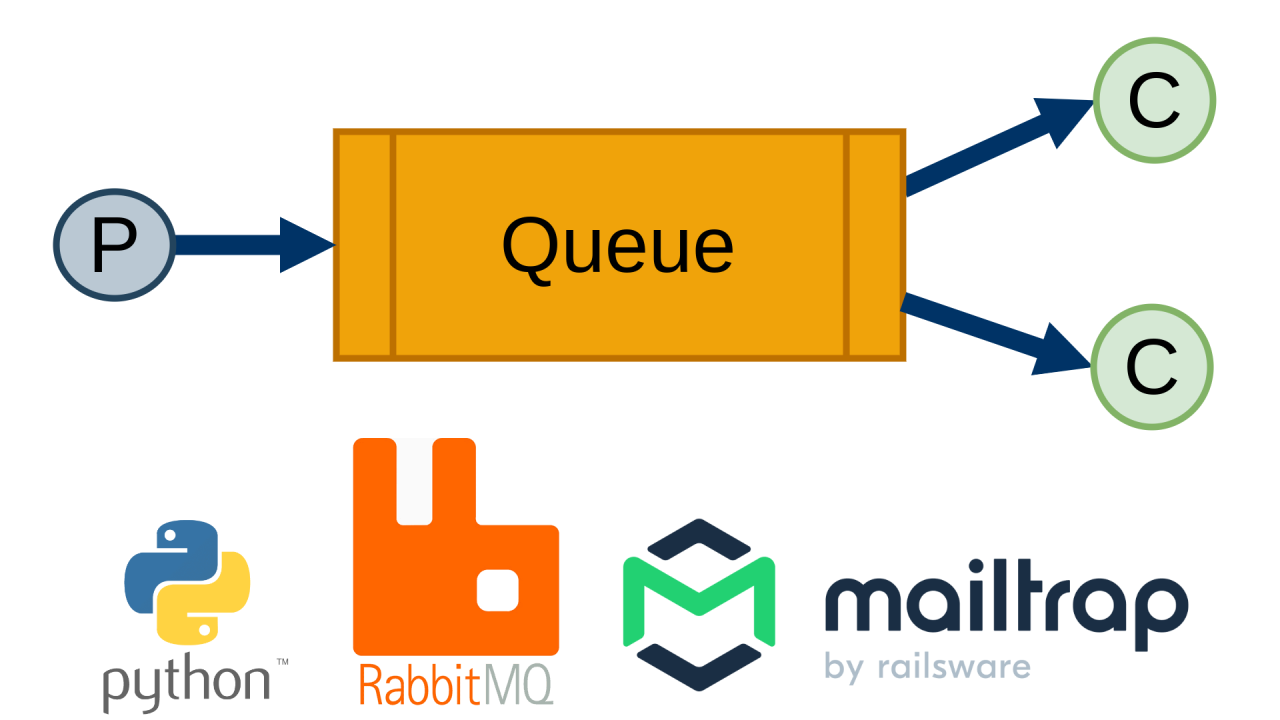
The process begins with the Producer, which publishes messages to a RabbitMQ queue. Using the pika library, the Producer connects to RabbitMQ efficiently and sends messages whenever an action triggers it. RabbitMQ then securely holds these messages in its queue until they are ready to be processed.
On the receiving end, the Consumer listens to the RabbitMQ queue. Upon receiving a message, the Consumer invokes the EmailClient, which handles the critical task of sending emails. The Consumer ensures message acknowledgment only after successful processing, providing a reliable workflow.
Finally, the EmailClient integrates with the Mailtrap API to send emails. It’s configured to use the necessary API URLs, keys, and email details, ensuring that all email deliveries are handled securely and effectively.
RabbitMQ message-broker
In the world of web applications, handling resource-intensive tasks during short HTTP request windows can be challenging. That's where task queues like RabbitMQ come in. They allow us to offload time-consuming processes to the background, freeing up our applications to handle other requests. In this article, RabbitMQ automates email sending, based on a message as trigger.
Email provider: Mailtrap
Mailtrap offers a comprehensive Email Delivery Platform to manage all aspects of email infrastructure, from testing to sending and detailed tracking. This ensures that your emails not only reach their intended recipients but also perform as expected. It's robust email test sandbox environment, where we can send and inspect emails in a controlled space without risking real-world interactions which made Mailtrap an easy choice for this project.
Step-by-Step Execution
1. RabbitMQ server
Recommended by LinkedIn
# shell 1
docker run -it --rm --name rabbitmq -p 5672:5672 rabbitmq:latest
2. Consumer
# shell 2
python consumer.py
3. Producer
# shell 3
python producer.py
Code Overview
consumer.py
#!/usr/bin/env python
import pika
from config import Config
from email_client import EmailClient

# Initialize RabbitMQ connection and declare queue
connection = pika.BlockingConnection(
    pika.ConnectionParameters(host=Config.QUEUE_HOST)
    )
channel = connection.channel()
channel.queue_declare(queue=Config.QUEUE_NAME, durable=True)

print(' [consumer] Waiting for messages. To exit press CTRL+C')

def callback(ch, method, properties, body):
    print(f" [consumer] Received { body.decode() }, { properties }")
    email_client = EmailClient()
    email_client.send_email()
    print(" [consumer] Done")
    ch.basic_ack(delivery_tag=method.delivery_tag)

# This uses the basic.qos protocol method to tell RabbitMQ not to give more than one message to a worker at a time.
channel.basic_qos(prefetch_count=1)
channel.basic_consume(queue=Config.QUEUE_NAME, on_message_callback=callback)

try:
    channel.start_consuming()
except KeyboardInterrupt:
    print(" [consumer] Exiting...")
finally:
    connection.close()
producer.py
#!/usr/bin/env python
import pika
from config import Config

# Initialize RabbitMQ connection and declare queue
connection = pika.BlockingConnection(
    pika.ConnectionParameters(host=Config.QUEUE_HOST)
    )
channel = connection.channel()
channel.queue_declare(queue=Config.QUEUE_NAME, durable=True)

# Publish message
channel.basic_publish(
    exchange='',
    routing_key= Config.QUEUE_NAME,
    body="Hello World!",
    properties=pika.BasicProperties(
        delivery_mode=pika.spec.PERSISTENT_DELIVERY_MODE  # Make message persistent
    ))

print(" [producer] Sent message")
connection.close()
References
project: git@github.com:AlessandraMayumi/email-notification-rabbitmq.git
message broker: https://www.rabbitmq.com/tutorials/tutorial-two-python
email provider: https://mailtrap.io/home


