Auto fix eslint errors in one command
I have written about the importance of static code analysis tools in several places. Maintaining a strict code standards and enforcing those by using tools like PHPCS, jshint, eslint and other tools is critical for any successful continuous integration process.
One of my preferred static code analysis tools for JavaScript\ node.js is eslint. eslint is a great module with a lot of modifications and plugins.
The problem is that sometimes, especially when we change a lot of code or change one the eslint rules, there are a lot of errors. Some of those errors, especially indentation errors, spaces issues and other styles can be easily being fixed automatically by using eslint command line tool.
I am pretty sure that everyone that use eslint has node.js in their machines, if not - it very easy to install on every platform. Just do it via node website and choose your installer base on your platform.
To install eslint command lint tool, you can type in your command line (Linux, Mac or Windows) : npm install eslint -g
The -g is for global installation. The eslint node module will be installed on the global node modules directory. This directory is in:
Windows: C:\Users\USER\AppData\Roaming\npm\eslint
Linux\mac : /usr/local/lib/node_modules/eslint
After locating the global eslint module directory, go to your project directory and locate the eslintrc file.
Type in the command line:
Windows: C:\Users\USER\AppData\Roaming\npm\eslint -c C:\PROJECTPATH\.eslintrc C:\PROJECTPATH\**\*.js --fix
Linux\mac: /usr/local/lib/node_modules/eslint -c /PROJECTPATH/,eslintrc /PROJECTPATH/**/*.js --fix
The --fix flag is allowing eslint to autofix everything that it can autofix.
In some project we have several eslintrc files - In my project at HPE Live Network, we have four eslintrc files: One for the server (node.js), another for the server spec files (mocha), third one for the client (angular) and the fourth one for the client spec files (karma + Jasmine). In that case you have to be more specific and include --ignore-pattern flag to ignore unwanted file types. for example:
C:\Users\USER\AppData\Roaming\npm\eslint -c C:\PROJECTPATH\client\.eslintrc C:\PROJECTPATH\client\app\**\*.js --ignore-pattern *.spec.js –fix
Here I am ignoring the spec.js files that have their own sets of rules.
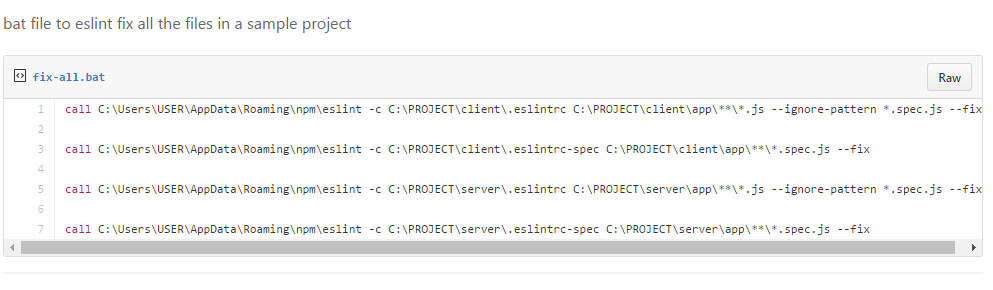
You can take this forward. Instead of running the –fix for several files separately, I created .bat file to run all the fix together:
call C:\Users\USER\AppData\Roaming\npm\eslint -c C:\PROJECT\client\.eslintrc C:\PROJECT\client\app\**\*.js --ignore-pattern *.spec.js --fix
call C:\Users\USER\AppData\Roaming\npm\eslint -c C:\PROJECT\client\.eslintrc-spec C:\PROJECT\client\app\**\*.spec.js --fix
call C:\Users\USER\AppData\Roaming\npm\eslint -c C:\PROJECT\server\.eslintrc C:\PROJECT\server\app\**\*.js --ignore-pattern *.spec.js --fix
call C:\Users\USER\AppData\Roaming\npm\eslint -c C:\PROJECT\server\.eslintrc-spec C:\PROJECT\server\app\**\*.spec.js --fix
https://gist.github.com/barzik/ce09812bf5801ee2f727e6db172c672a
And now, I just run this bat file to make sure that I will not spare any time to do a job that a machine can do for me.